|
OverView
Quick Start
- The Main Page
- Setup
- Server List
- Server Select
- Rule List
- Edit Rule
- E-Mail Setup
|
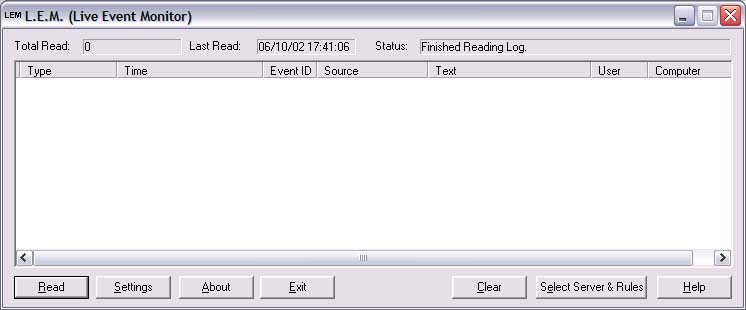
This is the main LEM window. It gives some basic information
about what's going on (and what LEM has been up to), and lets you setup
both LEM and the servers LEM looks at.
Areas of interest:
-
Read . This will force LEM to read the various Server
logs it is looking at (see select server). If LEM has not started in
auto-read mode, then this will start it.
-
Settings. Pressing this button will allow you to edit the
basic LEM setup.
-
About. This can present useful information on the version
of LEM you are running.
-
Exit. Press this at any time to exit LEM.
-
Clear. The clear button will remove all events from the LEM
main event list. NOTE: Once you've cleared the list, there's no way
to get them back.
-
Select Server & Rules. This leads off into the server
setup portion of LEM. You can setup what server logs you want to read,
and the various rules on what to do when a event message is logged.
-
Help. Brings up the help page for this screen.
Also:
If you press the system menu, one of the options is "View
Log". If you ever have a problem with LEM, please get the information
from this screen and send it with a description of the prolem to
lemsupport@ratajik.com
|