|
OverView
Quick Start
- The Main Page
- Setup
- Server List
- Server Select
- Rule List
- Edit Rule
- E-Mail Setup
|
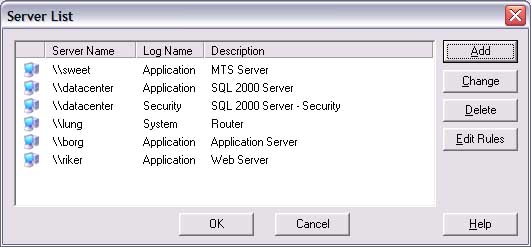
This window is the centeral place to setup the servers you want to
monitor. In this list, you can see 5 different servers are being monitor,
one log on 4 of them and two logs on 1.
Areas of interest:
-
Add. This will allow you to add a server.
-
Change. Selecting a server and pressing Change will allow
you to change the server and rule information. NOTE: Double clicking on
the server is the same as this.
-
Delete. This will delete the selected server.
-
Edit Rules. This is short-cut to the rules list for the
selected server.
-
OK. Save all changes.
-
Cancel. Discard all changes made from this screen or any
screen that you changed information on.
-
Help. Brings up the help page for this screen.
|